同步区块
Notion 允许你在页面或工作空间之间同步内容。这意味着可以更多地重复使用内容,减少手动编辑 🔄
跳转到常见问题通过同步区块,你可以在页面或工作空间的多个位置使用同一个区块及其内容。例如,你可以在入职文件和会议记录中使用团队使命宣言。如果以后团队使命发生变化,只需在一个位置进行编辑,所有同步此区块的地方都会自动更新!
要在页面之间、同一页面的多个位置或工作空间之间同步区块:
拖动鼠标选中区块。
点击所选区块旁边的
⋮⋮。选择转换成→同步区块。选择拷贝图标,然后将区块粘贴到你想要的任何位置。

Note: If a user doesn't have access to the page containing the original block, they won’t be able to see a synced block's contents and can request access to that page. Make sure to give the right users permission in advance to see the original block.
如果你在某个同步区块中进行更改,该更改也会反映在所有同步此区块的地方。
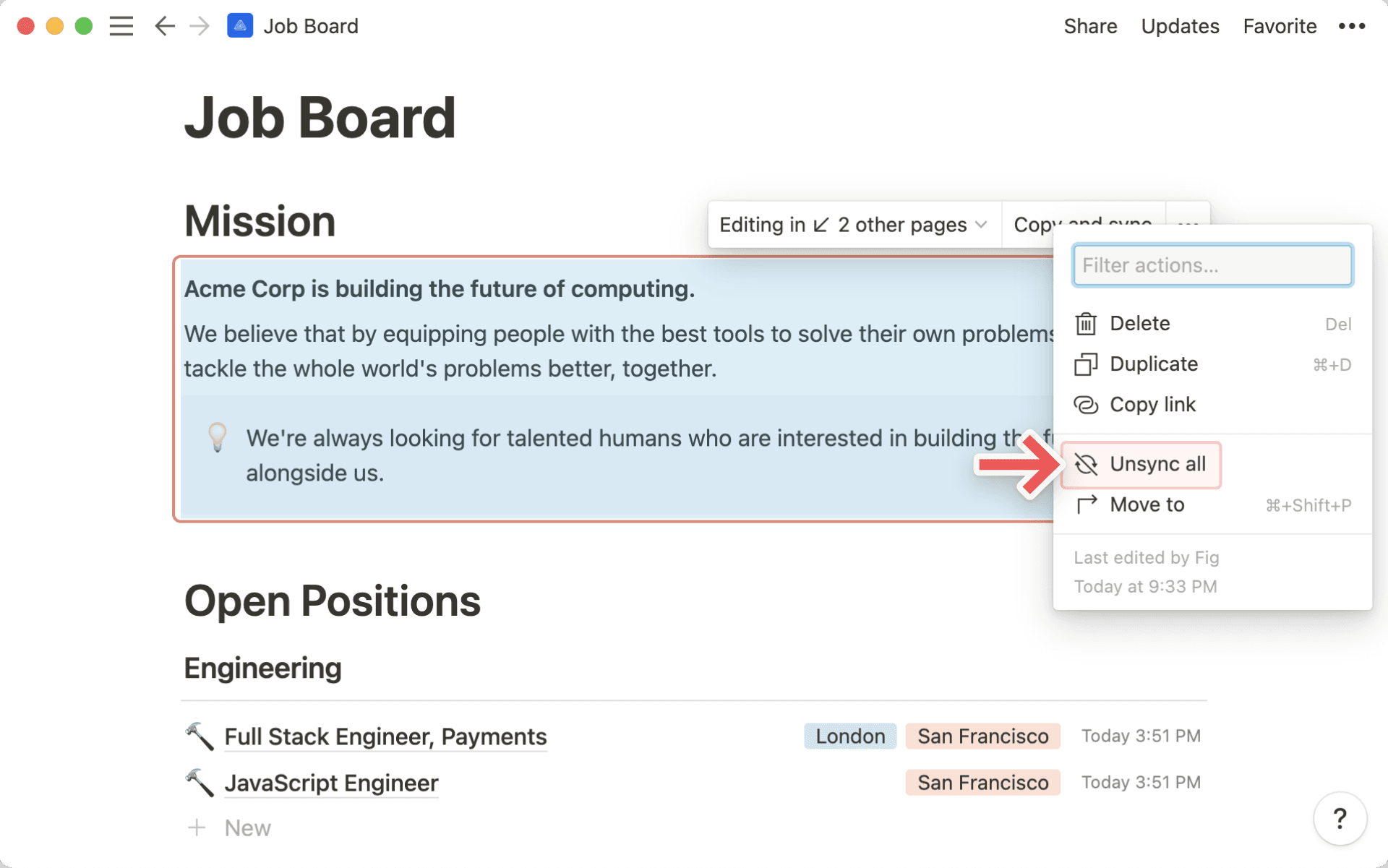
当你编辑同步区块时,会看到区块周围出现一条边框,提醒你这是一个在多个页面或工作空间中同步的区块。
你还会在同步区块顶部看到以下内容:
正在 ↙ # 个其他页面中编辑,这让你可以查看该同步区块还存在于哪些页面,并导航到这些页面。你会在创建同步区块的页面名称旁边看到
原始。
一个拷贝图标,你可以点击它来拷贝同步区块并将其粘贴到其他地方。
取消同步区块会断开它与其他副本之间的连接。取消同步后,每个区块都会变得独立,因此你所做的编辑不会影响其他区块。区块内的任何页面链接在取消同步后仍能正常工作。
要从同步区块中取消同步单个副本:
将鼠标悬停在副本上。
选择
•••→取消同步。
若要一次性取消同步所有区块:
将鼠标悬停在原始同步区块上。
选择
•••→取消全部同步。
Note: If a synced block has more than 10 copies, clicking Unsync all, or deleting the original synced block, will remove all copies.
常见问题
I added a synced block to another page, but no one else can edit it.
I added a synced block to another page, but no one else can edit it.
Whomever you share the page with needs to have edit access to the original block to be able to edit any synced copies.
I deleted the original synced block and then clicked Undo. Why didn't all the synced copies come back?
I deleted the original synced block and then clicked Undo. Why didn't all the synced copies come back?
If a synced block has more than 10 copies, deleting the original will also remove all copies. Undo won't restore them in this case. To prevent losing multiple copies, unsync individual blocks one at a time instead of deleting the original or using Unsync all.